Logo Setup
Setting up your logo
Here you can choose to have either a Custom Logo (image) or Text Title in header.
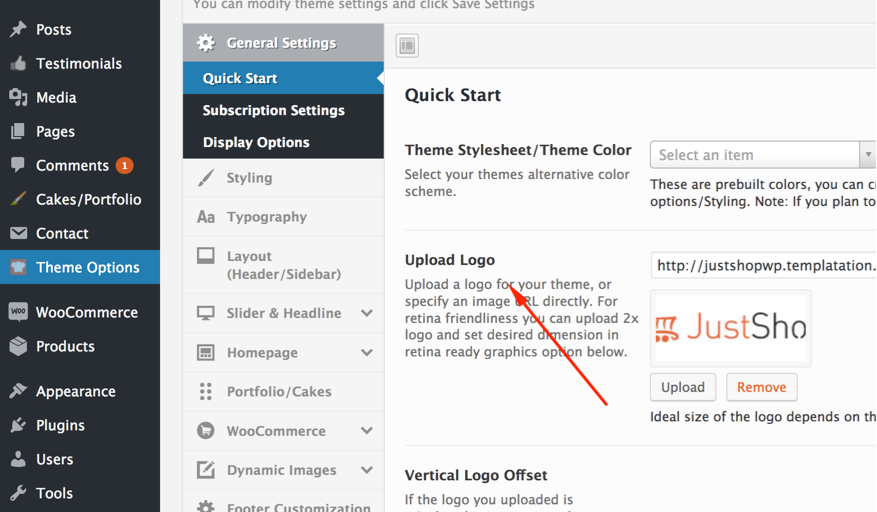
Go to Theme Options > Quick Start and choose only one.
Custom Logo: For this, you have to upload or insert the image path to display logo. Click 'Upload' button and select your logo jpeg/jpg/png (.gif is not recommended)
Hit 'Save All Changes' to apply the changes and visit the front end.